

From iTerm to WezTerm.
I’ve been using iTerm as my terminal app of choice for as long as I’ve been using a mac, or at least thereabouts. However, recently iTerm updated and added integration with ChatGPT. Now, I don’t care too much for all this AI integration the world seems to be panicking to introduce to their products, but I also appreciate all the work George Nachman has put into making iTerm a fantastic terminal, and this switch has nothing to do with the AI choice George has made. After all, you simply don’t add a ChatGPT key and there’s no AI involved, easy. But the anti-AI commenters were all recommending their terminal preferences and one stuck out for me: WezTerm.
WezTerm is really light weight, and stores all its config in one ~/.wezterm.lua file. iTerm uses a
.plist XML file, which is not so easy to read, and means updates to settings must be made in the
GUI and then backed-up. As opposed to WezTerm where the edits must be made in the config file
directly. It all feels much more deliberate when you need to change something. You can also comment
up your changes as you go, seeing as it’s just Lua.
Being a JS dev, my terminal needs are quite light; mainly a few npm and git commands, so with
very little configuration I’ve managed to migrate all the features I loved from iTerm.
First, let’s install WezTerm:
brew install --cask weztermNow we’ll build up my .wezterm.lua from scratch (full config file is at the bottom of the post)…
Start by pulling in the WezTerm API, and instantiate a config variable to hold our settings.
local wezterm = require 'wezterm'
local config = wezterm.config_builder()
I like the window to start slightly bigger than its default.
config.initial_cols = 116
config.initial_rows = 42
I’m not a massive tab user (I prefer split panes, more on that later), so I hide them when there’s only one tab.
config.hide_tab_bar_if_only_one_tab = trueOn macOS, you can force the use of GPU (Metal) rendering to give a slight boost to the app.
config.front_end = "WebGpu"There’s so many themes available for
WezTerm, I just picked one I recognised. I found that if you choose one with a + suffix it tends
to look more like a standard macOS app.
config.color_scheme = 'Dracula+'I use the Hack font in my code editor, I have found it to be the nicest font for long term use. And be kind to your eyes people, increase that default font size.
config.font = wezterm.font_with_fallback {'Hack Nerd Font Mono', 'Apple Color Emoji'}
config.font_size = 15.0
The feature I loved the most about iTerm, when I first downloaded it all those years ago, was split panes. It’s great to have one window, and split it into sections as-and-when more terminals are needed. WezTerm can also do this but muscle memory called for the same shortcuts. Here’s all the custom shortcuts I’ve set, including some to make the navigation a bit more mac-like.
config.keys = {{
    -- Split left/right using same keyboard shortcut as iTerm.
    key = 'd',
    mods = 'CMD',
    action = wezterm.action.SplitHorizontal {
        domain = "CurrentPaneDomain"
    }
}, {
    -- Split left/right using same keyboard shortcut as iTerm.
    key = 'd',
    mods = 'CMD|SHIFT',
    action = wezterm.action.SplitVertical {
        domain = "CurrentPaneDomain"
    }
}, {
    -- Close current pane with same keyboard shortcut as tab close, like other Mac apps.
    key = 'w',
    mods = 'CMD',
    action = wezterm.action.CloseCurrentPane {
        confirm = true
    }
}, {
    -- Delete to beginning.
    key = 'Backspace',
    mods = 'CMD',
    action = wezterm.action {
        SendString = "\x15"
    }
}, {
    -- Go to beginning of line.
    key = 'LeftArrow',
    mods = 'CMD',
    action = wezterm.action {
        SendString = "\x01"
    }
}, {
    -- Go to end of line.
    key = 'RightArrow',
    mods = 'CMD',
    action = wezterm.action {
        SendString = "\x05"
    }
}}
And lastly return your configuration to WezTerm.
return config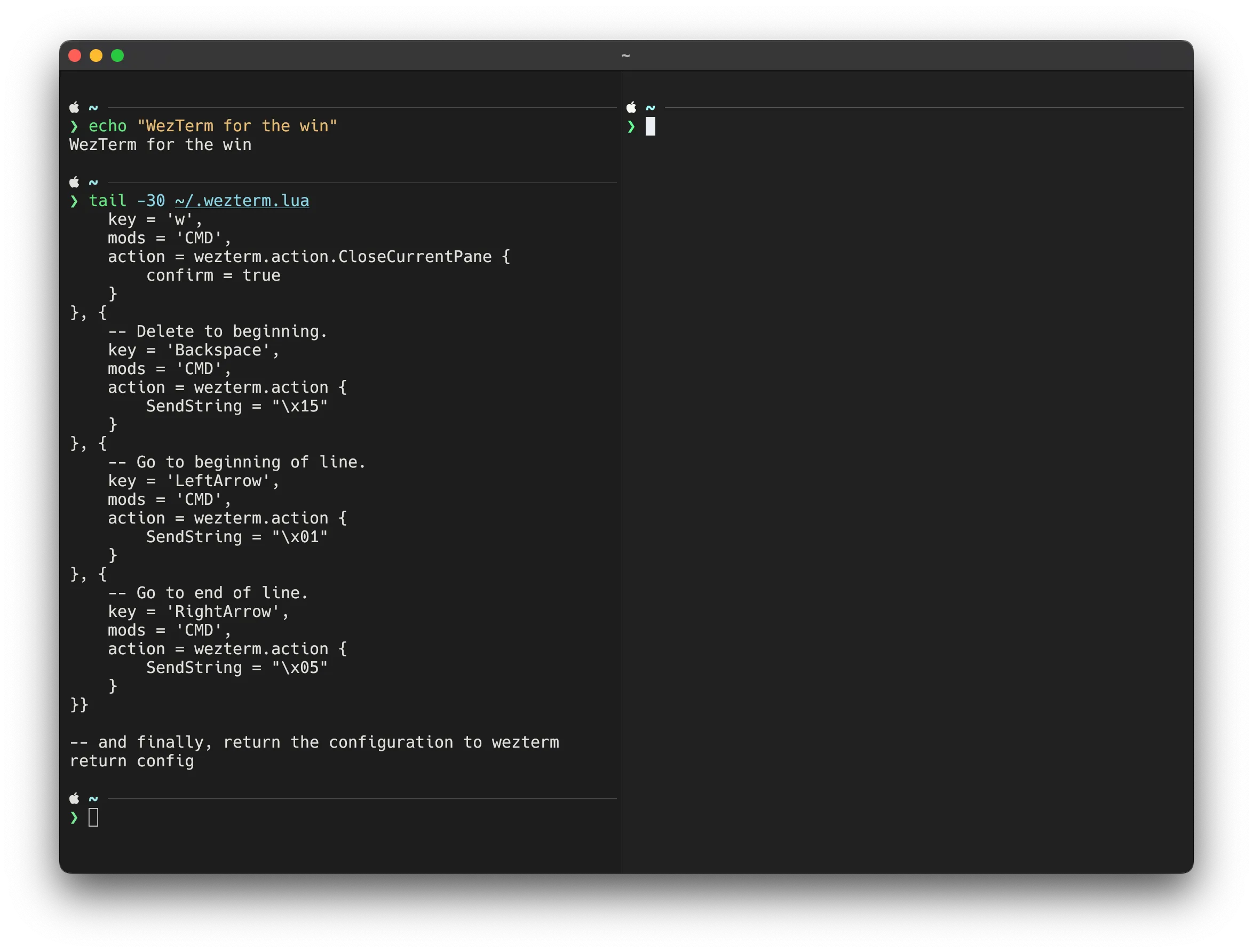
☝️ Fish shell with the Tide prompt, but that’s one for another post 🙂
Expand to show the whole file
-- ~/.wezterm.lua

local wezterm = require 'wezterm'
local config = wezterm.config_builder()
config.initial_cols = 116
config.initial_rows = 42
config.hide_tab_bar_if_only_one_tab = true
config.front_end = "WebGpu"
config.color_scheme = 'Dracula+'
config.font = wezterm.font_with_fallback {'Hack Nerd Font Mono', 'Apple Color Emoji'}
config.font_size = 15.0
config.keys = {{
    key = 'd',
    mods = 'CMD',
    action = wezterm.action.SplitHorizontal {
        domain = "CurrentPaneDomain"
    }
}, {
    key = 'd',
    mods = 'CMD|SHIFT',
    action = wezterm.action.SplitVertical {
        domain = "CurrentPaneDomain"
    }
}, {
    key = 'w',
    mods = 'CMD',
    action = wezterm.action.CloseCurrentPane {
        confirm = true
    }
}, {
    key = 'Backspace',
    mods = 'CMD',
    action = wezterm.action {
        SendString = "\x15"
    }
}, {
    key = 'LeftArrow',
    mods = 'CMD',
    action = wezterm.action {
        SendString = "\x01"
    }
}, {
    key = 'RightArrow',
    mods = 'CMD',
    action = wezterm.action {
        SendString = "\x05"
    }
}}
return config